Your privacy,in your pocket.
The same Frame account, on your phone. See where every data broker stands, check new breaches, turn aliases on and off, and ask Frame what to do next. Coming soon to the App Store and Google Play.
- App StoreComing soon
- Google PlayComing soon
Not available to download yet, and there is no release date to announce.
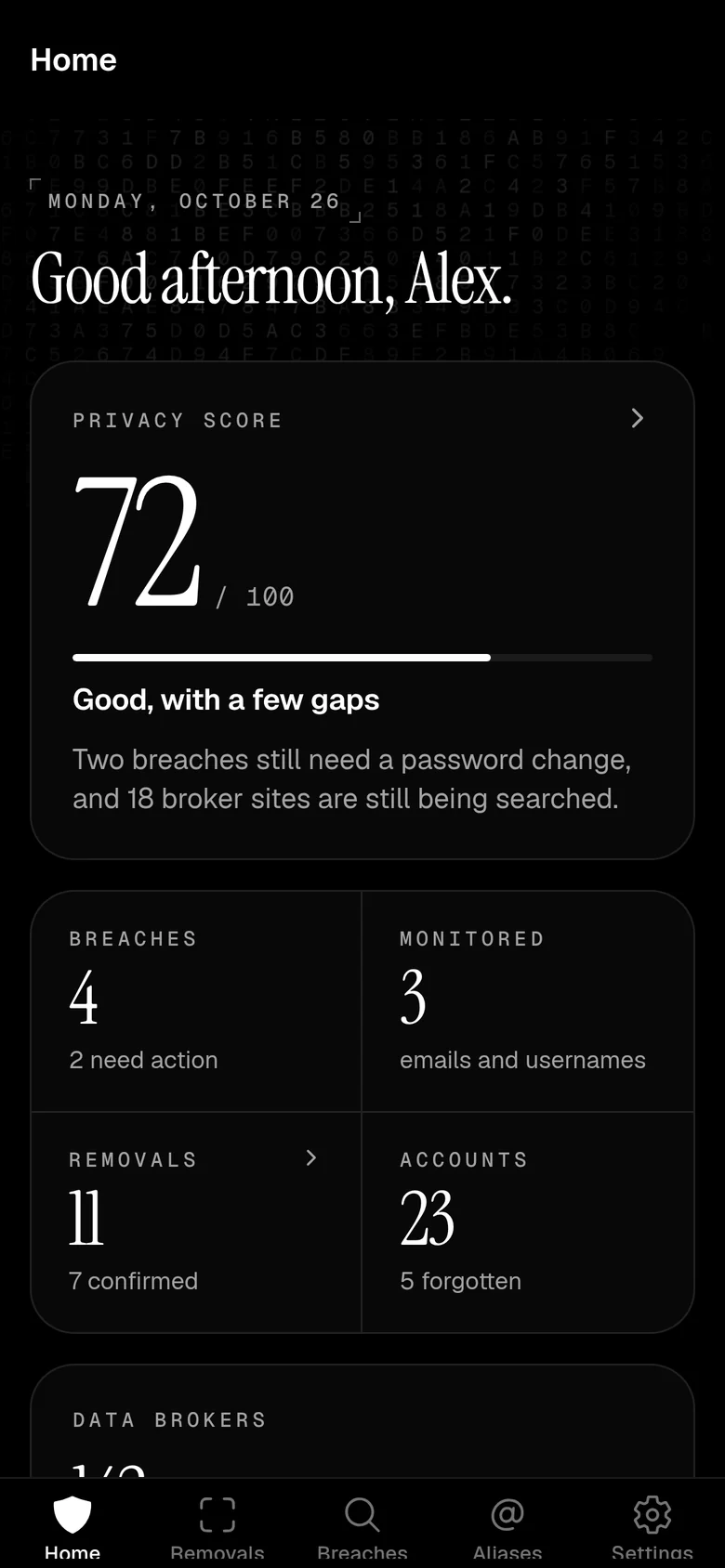
Everything you check,a tap away.
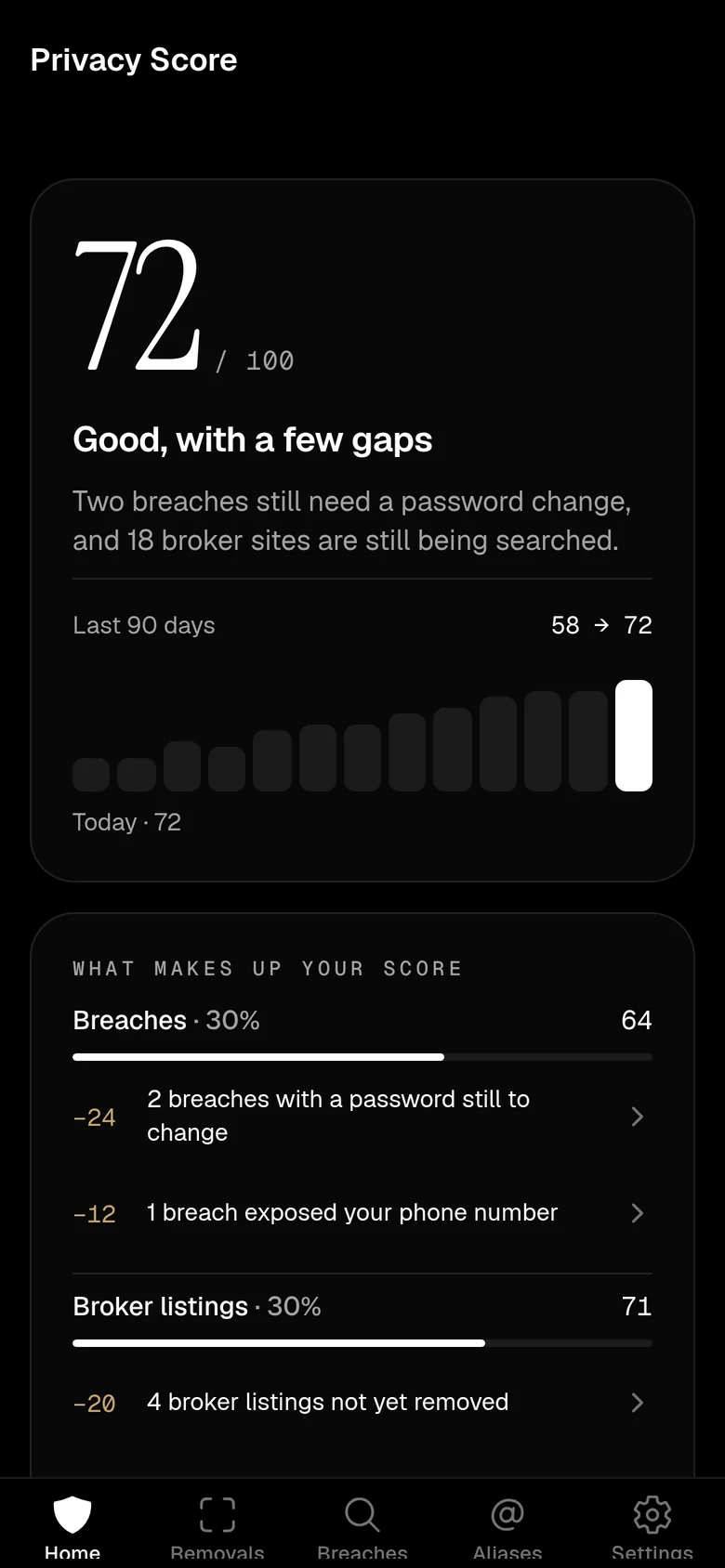
Your Privacy Score, at a glance.
Your score out of 100, how it moved over the last 90 days, and exactly which breaches and broker listings are holding it back.
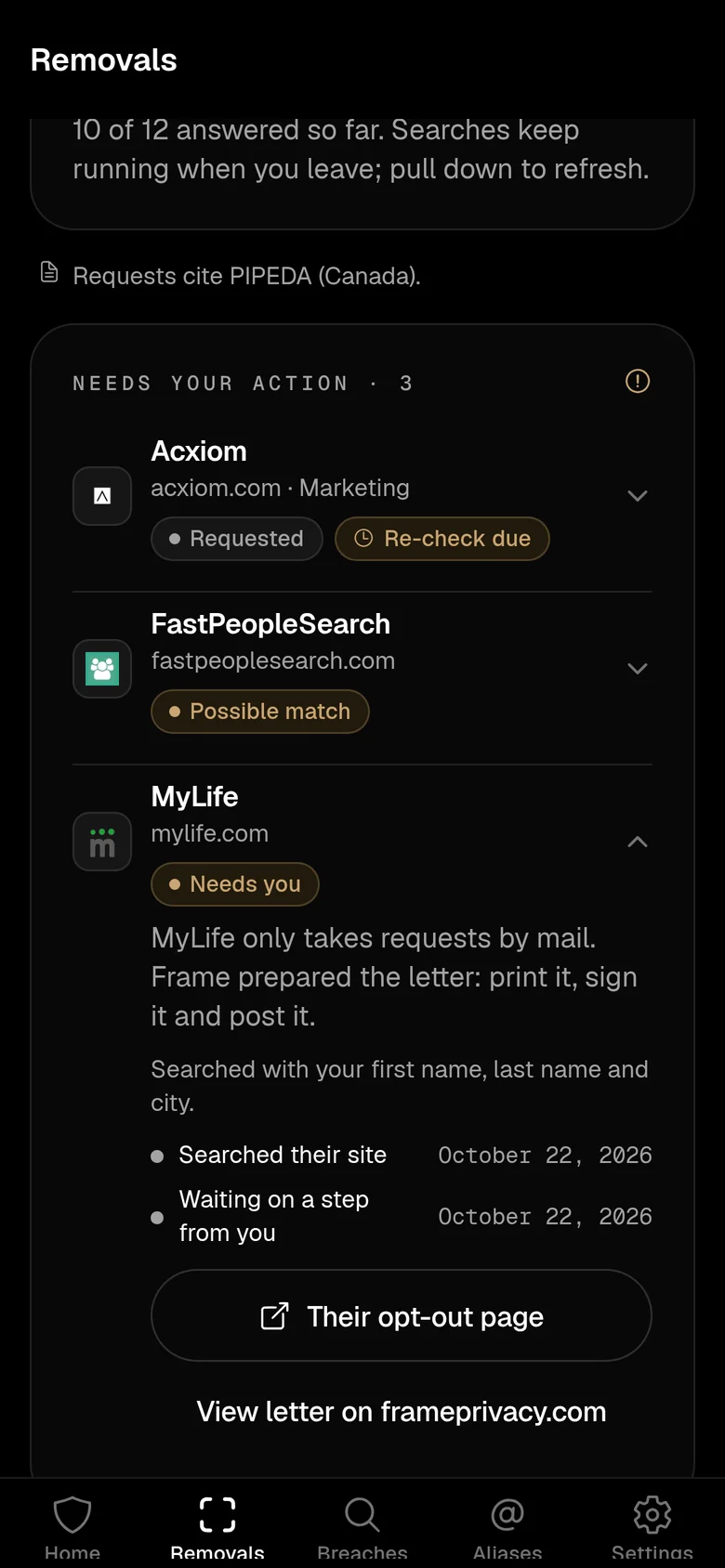
Where every broker stands.
See which brokers Frame is searching, which requests are sent, and which ones need you. Brokers that only take mail get a letter Frame prepared for you to print and sign.
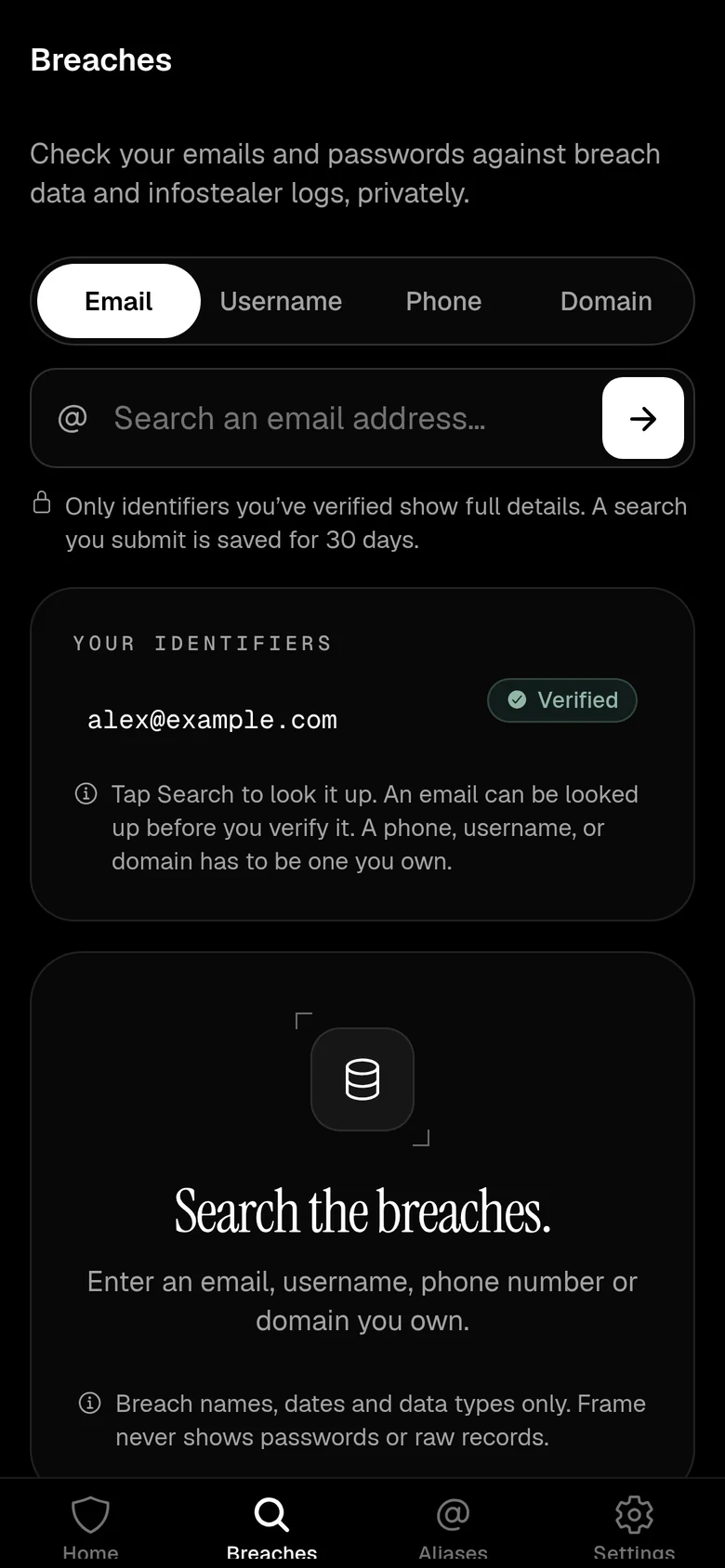
Search the breaches.
Look up an email, username, phone number or domain in breach data and infostealer logs. Only identifiers you have verified show full details.
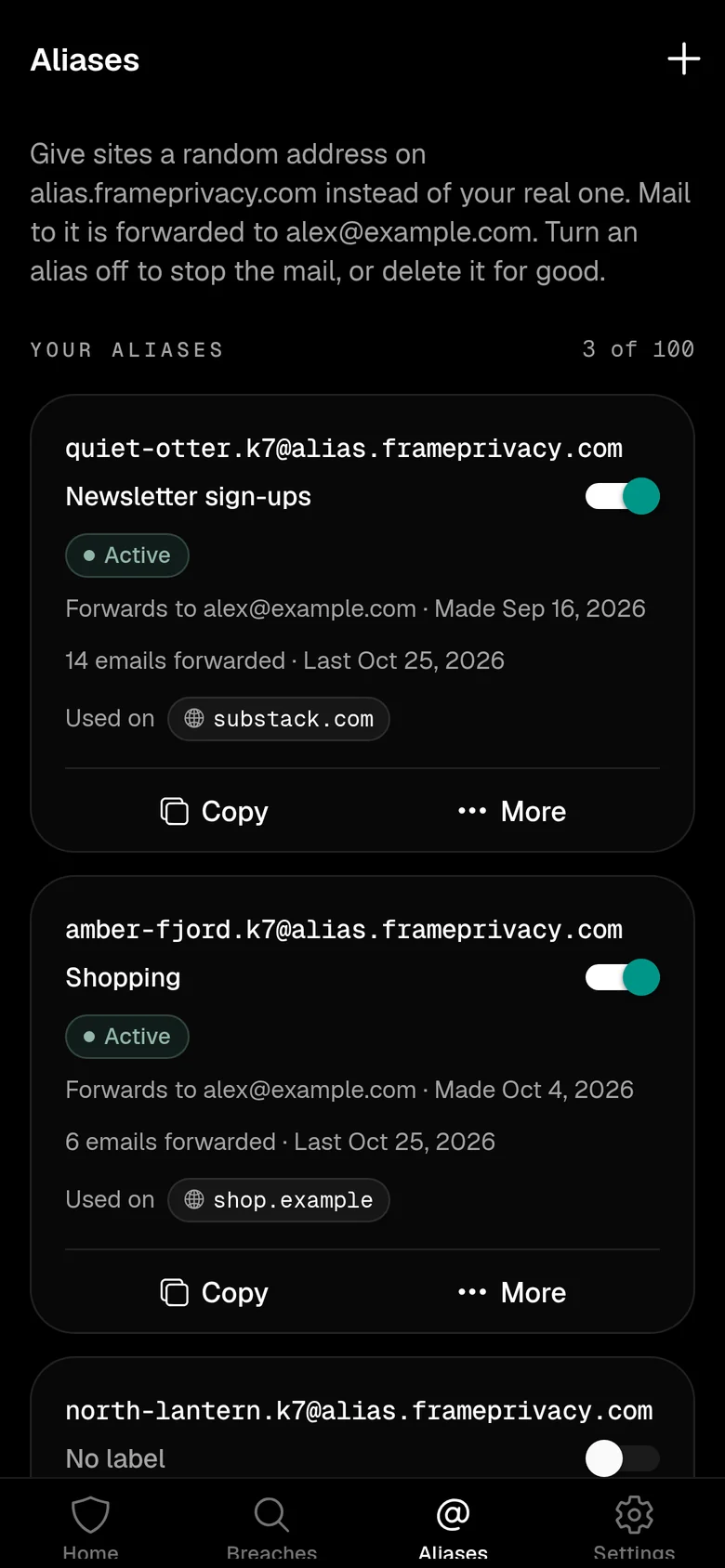
Aliases you can switch off.
Give sites a random address instead of your real one. Copy it, see what it forwarded, or turn it off when the mail stops being welcome.
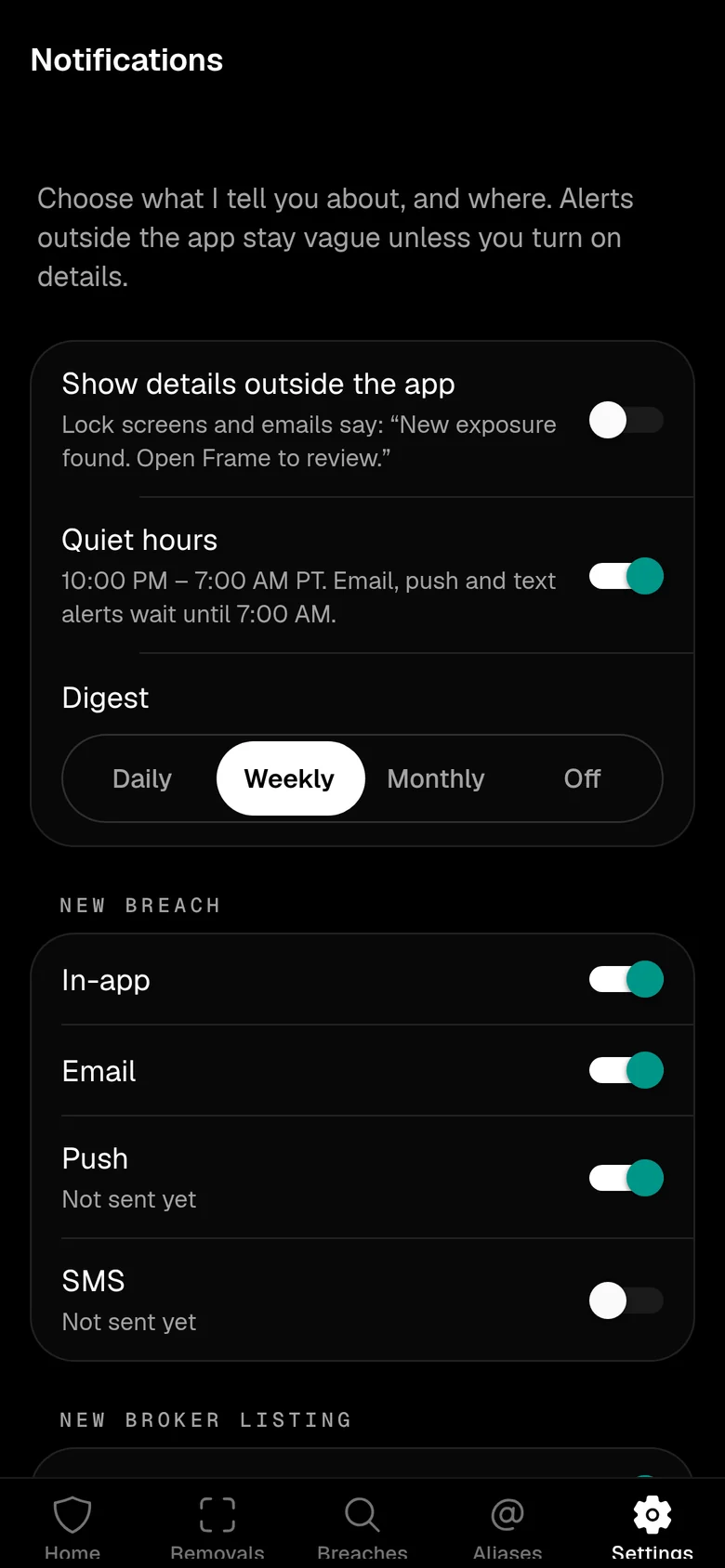
Alerts that stay quiet.
Choose what Frame tells you about and where. Lock-screen alerts stay vague unless you turn on details, and quiet hours hold them until morning.
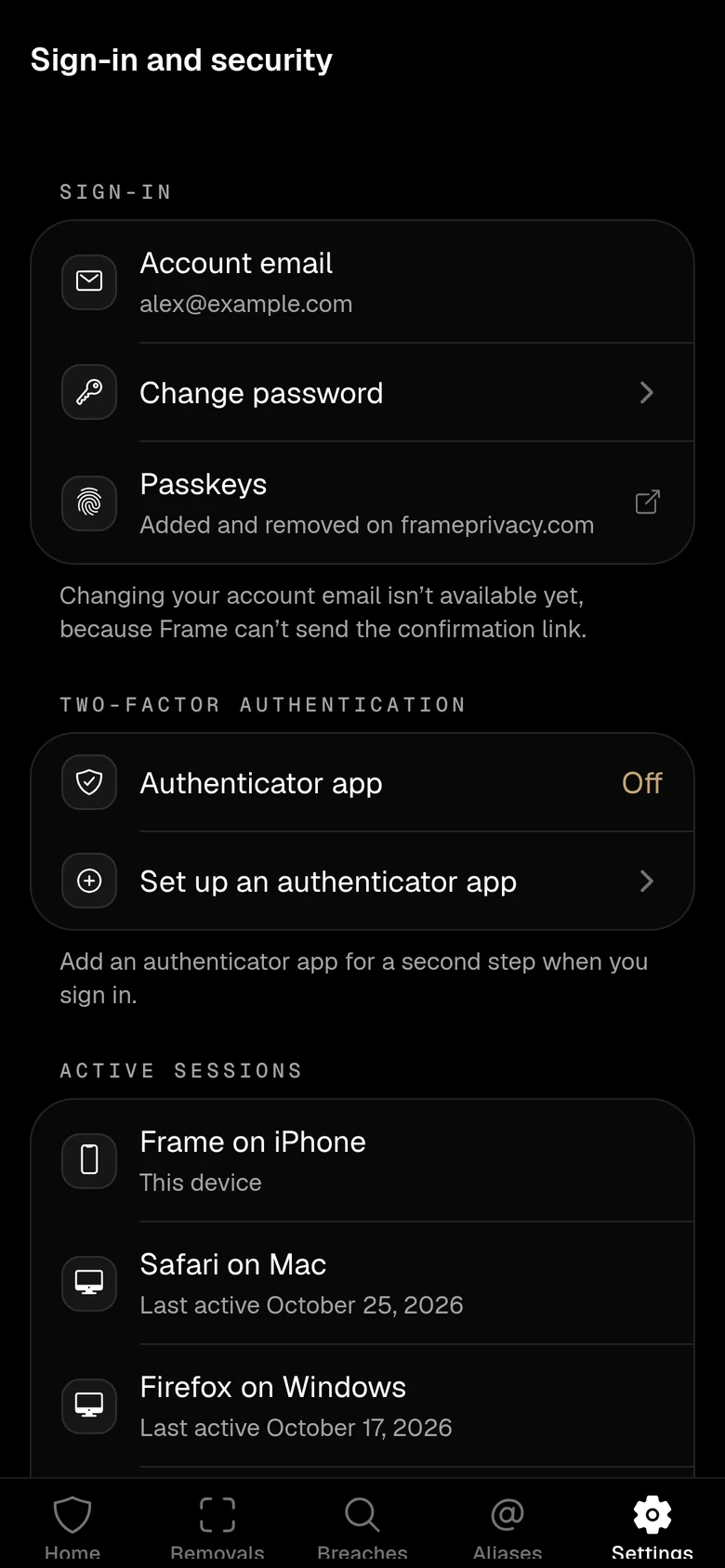
Your account, locked down.
Two-step verification, active sessions and where you are signed in. You can also lock the app behind Face ID or your fingerprint.
Real screens from a preview build, signed in to a sample account. In English.
The rest ofyour account.
Ask Frame
The Frame assistant, in a chat. Ask about a breach, a broker or what to do next, and get a plain answer.
AutoFill with aliases
On iPhone and Android, Frame can fill sign-ins and, on sign-up forms, make a new alias with a strong password. Saved logins stay on the phone, locked behind Face ID, your fingerprint or your passcode.
iPhone widgets
Home Screen and Lock Screen widgets for your score, removals, breach alerts and aliases, plus a button that makes a new alias without opening the app.
Notifications inbox
What Frame has told you, in one list. Mark items read or dismiss them.
Team and household
If you are part of a Frame team or household, see who is covered. Changes to it stay on the website.
English and French
The app follows your phone’s language, like the site.
No ads.No trackers. Nothing to buy.
- No ad, analytics or attribution SDKs, and no tracking across other apps.
- Nothing is sold in the app. No prices, no upgrades, no in-app purchases. Your plan is managed on the website.
- Your session is kept in the phone’s secure storage, not in a regular file.
- Accounts are created on the website. The app only signs in.
- App StoreComing soon
- Google PlayComing soon
Not available to download yet, and there is no release date to announce.
Questions,answered.
Something else? support@frameprivacy.com
When it passes App Store and Google Play review. We do not have a date to share yet. This page will show real store links the day it is listed.